🚀 50元以内VPS推荐:低预算也能拥有精品线路(CN2|9929|CMIN2)|VPN搭建|VPS搭建
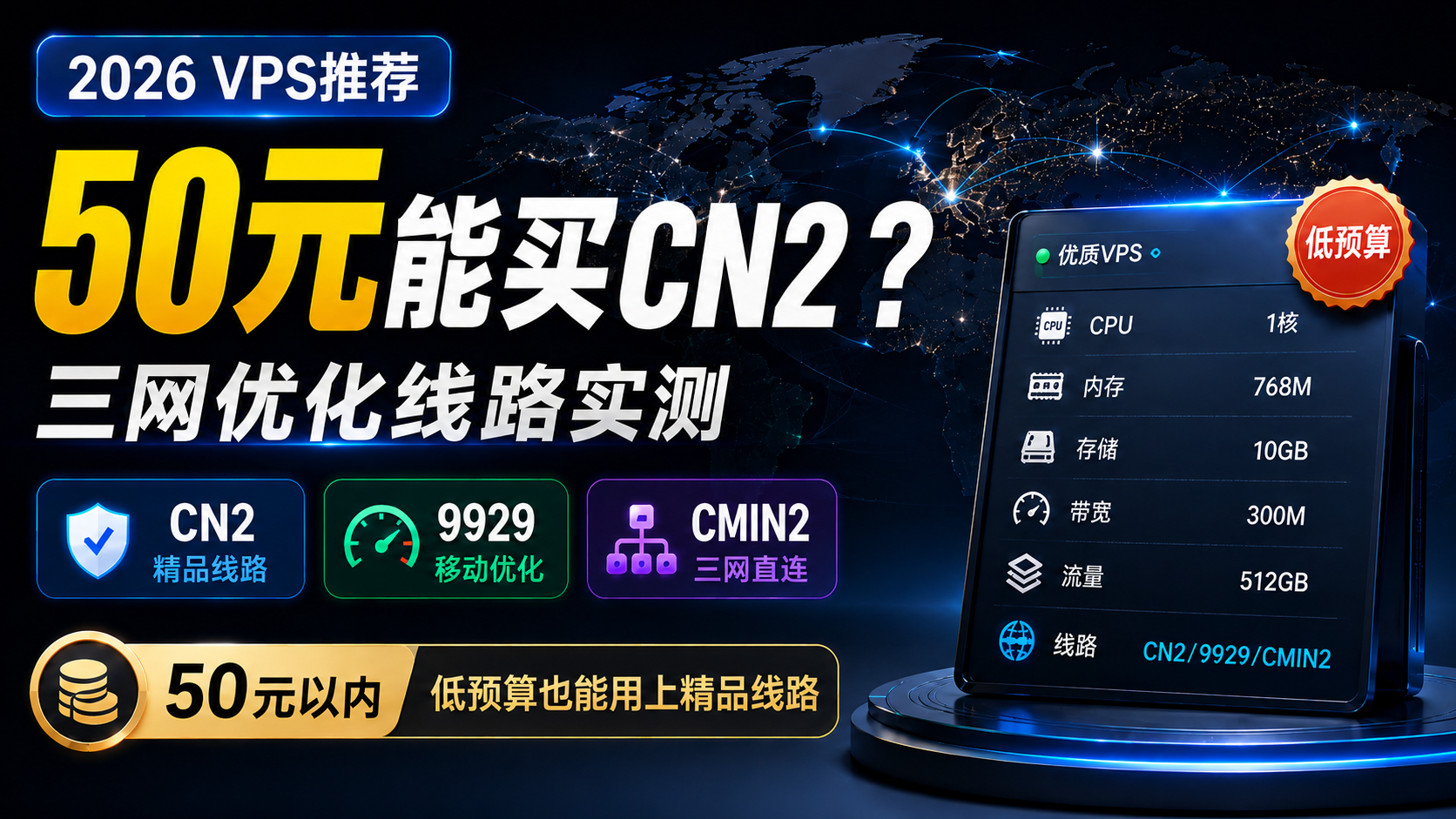
📺 一、视频相关链接
⚠️ 说明:价格、库存、配置和线路可能发生变化,请以下单时官网显示的信息为准。
🛠️ 二、配套软件与工具
- V2rayN(Windows 电脑版):https://github.com/2dust/v2rayN/releases
- V2rayNG(Android 手机版):https://github.com/2dust/v2rayNG/releases
- Clash Verge Rev(Windows 电脑版):https://github.com/Clash-Verge-rev/clash-verge-rev/releases
- Clash Meta for Android(Android 手机端):https://github.com/MetaCubeX
- TG 交流群:https://t.me/xiaovchat
🔗 三、服务器(连接及线路测试)
-
服务器远程连接工具(FinalShell): https://www.hostbuf.com/t/988.html
-
安装Curl
-
安装Curl(以上如果报错,尝试一下命令)
-
可视化路由(NextTrace)安装命令
测试命令:
1️⃣上海电信—回程测试地址命令:
2️⃣上海联通—回程测试地址命令:
3️⃣上海移动—回程测试地址命令:
🔣 四、享节点独(VPN)搭建
-
3X-UI一键部署命令(版本 3.6.0):
-
测速网站:speedtes.net
上方是视频中用到的网址。下方亦附有详细图文教程
一、PanStar 有哪些产品?
官网目前主要提供标准云服务器、弹性云服务器和轻量云服务器等产品。其中,标准云服务器比较突出大带宽和高流量,购买页面还可以直接选择不同地区、系统和计费周期。
它的主要特点包括:
- 覆盖美国、德国、日本、中国香港、新加坡、英国和中国台湾等地区;
- 部分地区提供 CN2 GIA、9929、CMI2/CMIN2、IIJ 等面向中国大陆优化的线路;
- 部分产品提供原生 IP、DNS 解锁或国际线路优化;
- 套餐按月、季度、半年或年付,适合根据使用周期灵活选择。
线路名称说明:官网美国产品页面当前标注为 CMI2,口播文案中使用的是 CMIN2。两种写法在相关 VPS 介绍中都比较常见,购买时以官网实际线路说明和测试结果为准。
二、各地区服务器有什么特点?
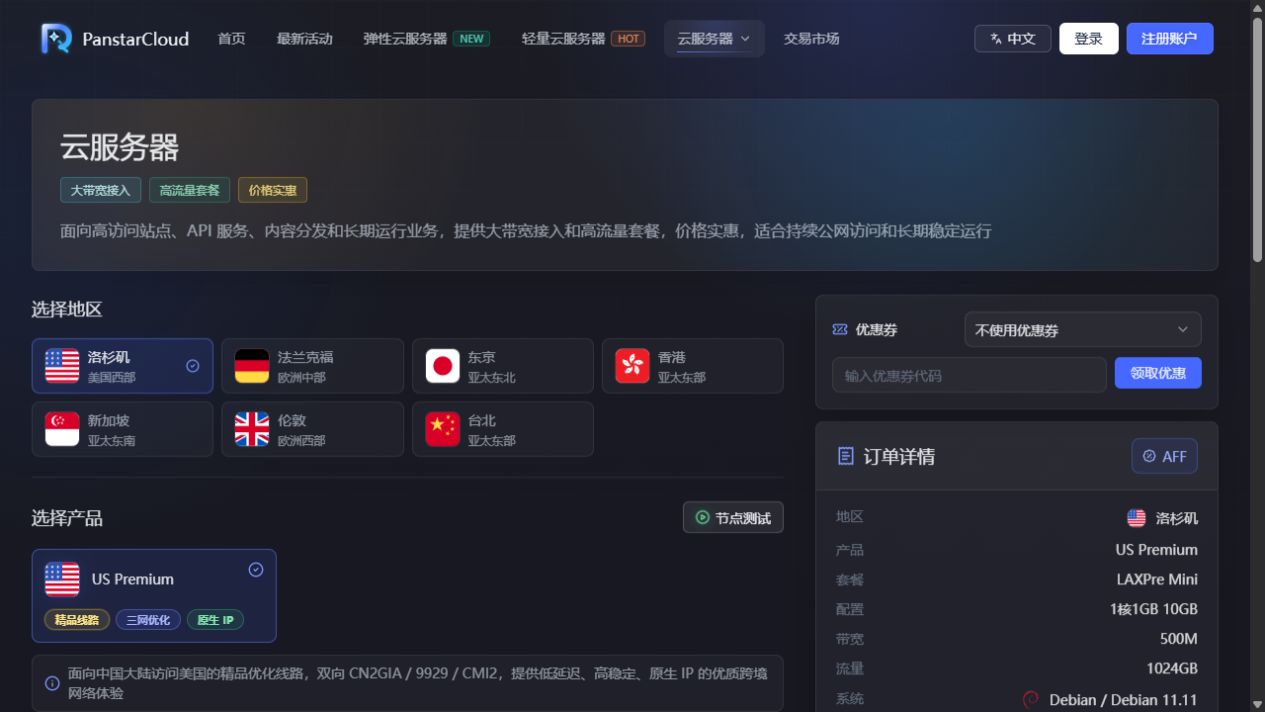
| 地区 | 产品与线路特点 | 更适合的使用方向 |
|---|---|---|
| 美国洛杉矶 | US Premium,三网优化,提供 CN2 GIA、9929、CMI2 等线路,并标注原生 IP | 重视中国大陆访问质量、希望兼顾带宽和流量 |
| 德国法兰克福 | DE Pro,原生 IP,面向中国大陆方向三网回程 9929,套餐页面标注 1Gbps 带宽 | 欧洲业务、欧洲建站或需要中欧访问的场景 |
| 日本东京 | JP Plus / JP Lite;Plus 标注三网 IIJ 直连并支持 DNS 解锁 | 东亚业务、低延迟访问、流媒体或日区服务 |
| 中国香港 | HK Standard / HK Lite;Standard 偏向中国移动方向优化并支持 DNS 解锁,Lite 偏国际线路和原生 IP | 香港及周边业务、海外访问或移动网络用户 |
| 新加坡 | SG Lite,国际线路优化、原生 IP,偏轻量和高流量使用 | 东南亚业务、海外建站和国际访问 |
| 英国伦敦 | UK Pro,英国原生 IP,面向中国大陆方向标注 9929,强调稳定和低丢包 | 英国或欧洲业务、对回程稳定性有要求的用户 |
| 中国台湾 | TW Lite,国际线路优化、原生 IP | 台湾地区业务、海外网络访问和轻量应用 |
不同运营商、不同时间段的实际网络表现会有差异。对延迟和线路要求较高时,建议先购买月付套餐测试,再决定是否长期续费。
三、套餐和价格怎么选?
以洛杉矶 US Premium 为例,核对时页面显示:Nano 套餐月付 5.99 美元,货源紧缺,随时可能售罄;Mini 套餐月付 10.99 美元并显示有库存。不同配置对应的 CPU、内存、硬盘、流量和带宽都不同,下单前应同时查看配置与库存,不要只看最低价格。
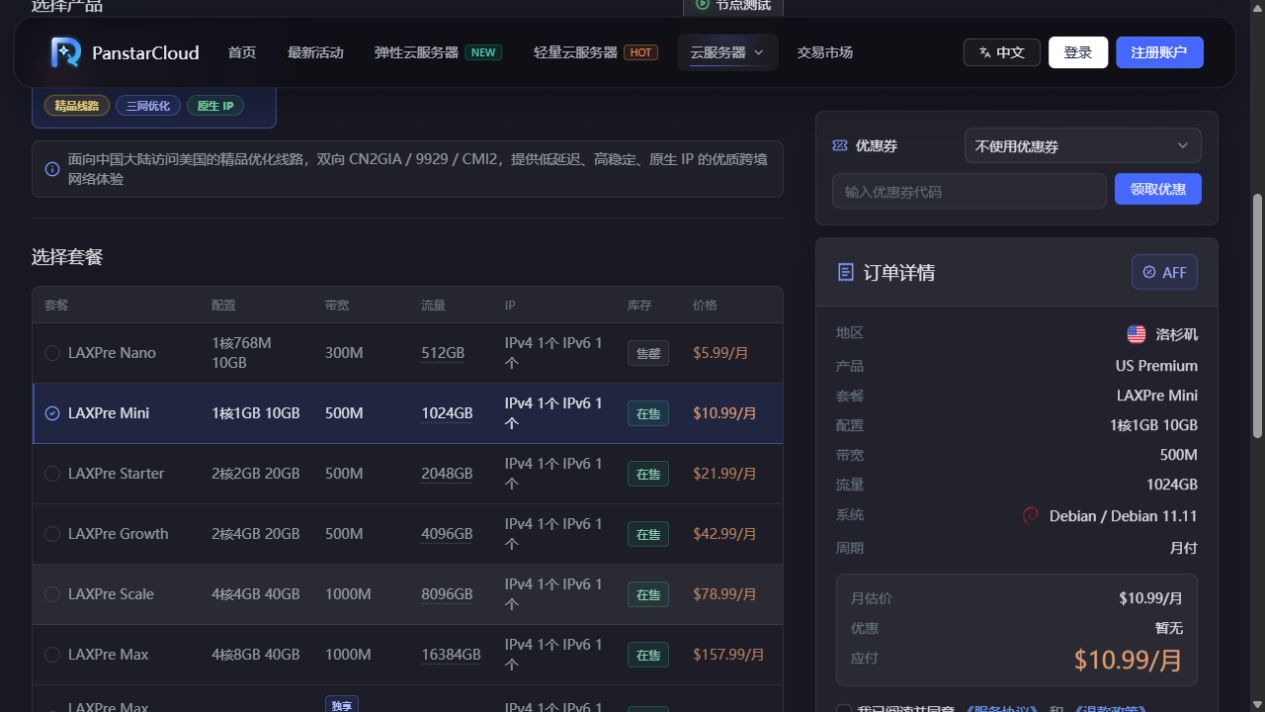
其他地区核对时的最低月付价格大致如下:德国 6.99 美元、日本 4.99 美元、中国香港 3.99 美元、新加坡 2.99 美元、英国 4.99 美元、中国台湾 2.99 美元。部分低价套餐可能处于售罄状态,实际可购买套餐以页面库存为准。
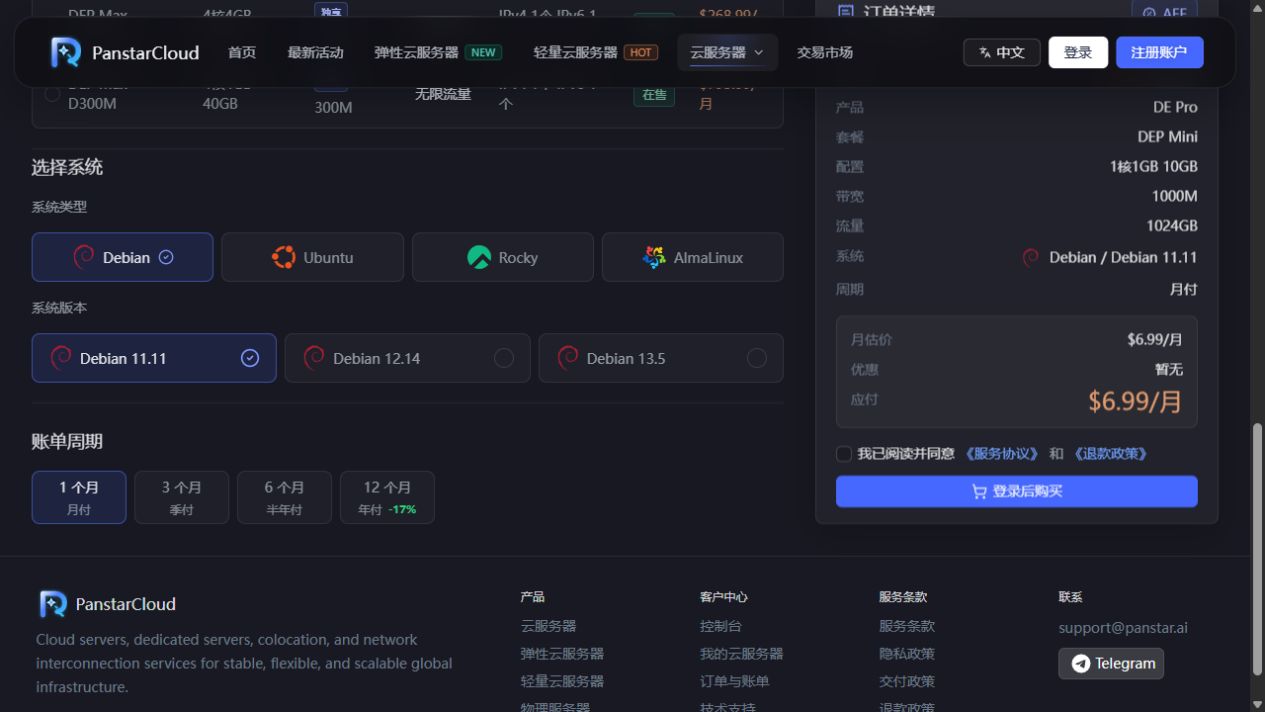
购买时还可以选择 Debian、Ubuntu、Rocky Linux、AlmaLinux 等系统,并选择月付、季付、半年付或年付。核对时年付选项标注约 -17%,但优惠比例可能变化。
四、优惠活动在哪里看?
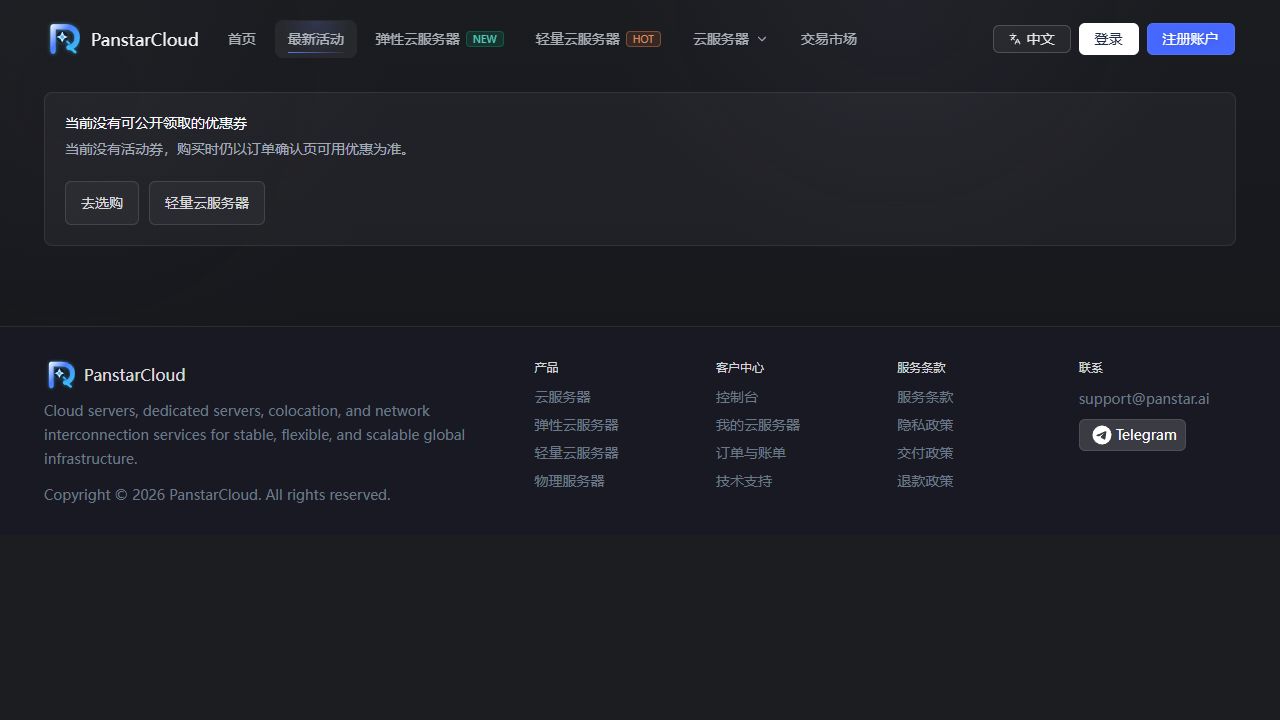
官网设有“最新活动”页面。本文核对时,页面提示暂时没有公开可用的优惠码,因此不要默认某个历史优惠码长期有效。下单前可先打开活动页面,再比较不同账单周期的最终价格。
五、在哪里查看服务器账号和密码?
服务器开通后,进入控制后台,依次打开:
- 控制台;
- 云服务器;
- 找到对应实例,点击 管理;
- 进入 仪表盘,找到 访问控制。
在“访问控制”区域可以看到服务器访问地址、登录账号、密码、SSH 端口和 SSH 连接命令。Linux 服务器默认登录账号通常为 root,SSH 默认端口通常为 22,但仍应以后台实际显示为准。
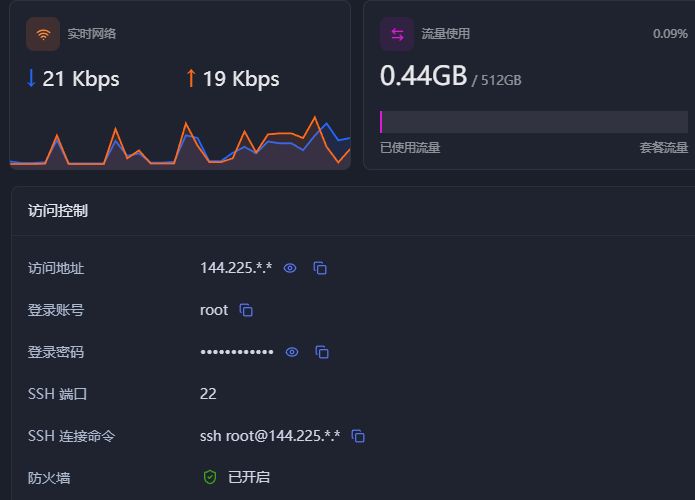
截图中的 IP 地址和密码已经脱敏。请不要把真实服务器密码、完整 IP 或 SSH 命令公开到文章、视频和交流群中。首次登录后,建议及时修改密码,并限制不必要的端口访问。
六、服务器如何续费?
进入 控制台 → 云服务器 后,服务器列表会显示到期时间、自动续费状态以及单独的“续费”按钮;如果有多台服务器,也可以使用批量续费。进入某一台服务器的详情页,还可以在顶部点击“续费”,并在“计费信息”区域查看价格、开通时间、到期时间、自动续费和流量自动重置等信息。
续费时建议注意以下几点:
- 提前确认续费后的账单周期和最终金额;
- 打开自动续费前,先确认账户余额或支付方式是否可用;
- 不准备继续使用时,及时关闭自动续费,并提前备份网站和服务器数据;
- 低价或特殊线路套餐售罄后,能否原价续费要以控制台实际账单为准;
- 口播素材提到支付宝、Stripe 和 USDT,支付渠道可能调整,请以结账页面当前显示为准。
七、下单前的简单建议
- 先确定目标访客所在地区,再选择机房,不要只按最低价购买;
- 面向中国大陆用户时,重点看线路、晚高峰丢包和三网表现;
- 需要流媒体或地区服务时,除了“原生 IP”标识,还要自行测试实际解锁情况;
- 第一次使用建议先月付测试,确认性能、路由和稳定性后再考虑年付;
- 服务器不是自动备份服务,部署重要业务后应另外建立定期备份。
官方地址:https://panstar/
免责声明
本文档及相关教程内容仅供计算机网络技术交流与学习测试使用。请务必严格遵守您所在国家或地区的法律法规,切勿用于任何非法用途。